Você pode criar um projeto completo enviando um arquivo JSON no modal «Importar projeto». O arquivo descreve o título do projeto, seus personagens e seus clipes de diálogo. A seguir você tem a estrutura exata esperada.
As vozes não vão no JSON
O arquivo não contém vozes nem provedores. O campo voiceDescription é apenas uma pista textual. A voz real e o provedor (Gemini, ElevenLabs ou Local) são atribuídos a cada personagem na configuração do projeto, depois de importar.
Importar sobre um título existente
Se você importar um arquivo cujo título coincide com o de um projeto que já tem, o fluxo de sobrescrita é ativado. Se o projeto de destino já tiver clipes com áudio gerado, o aplicativo pedirá confirmação antes de continuar.
Os nomes de personagem têm de coincidir exatamente
Cada clipe aponta para o seu personagem pelo nome e a comparação é literal: «Marta» e «marta» são diferentes, e um espaço a mais no final também quebra a correspondência. Se um clipe cita um nome que não está em characters, nada é importado: a operação é cancelada por inteiro e o aviso indica qual falha, com o texto em inglês «Clip references unknown character». Revise maiúsculas, acentos e espaços antes de enviar o arquivo.
O campo «force»
Deixe-o sempre como false no seu JSON. Serve para confirmar a sobrescrita de um projeto que já tem clipes, mas o aplicativo o ativa automaticamente quando você aceita o aviso de sobrescrita; não é um campo que você deva colocar como true manualmente.
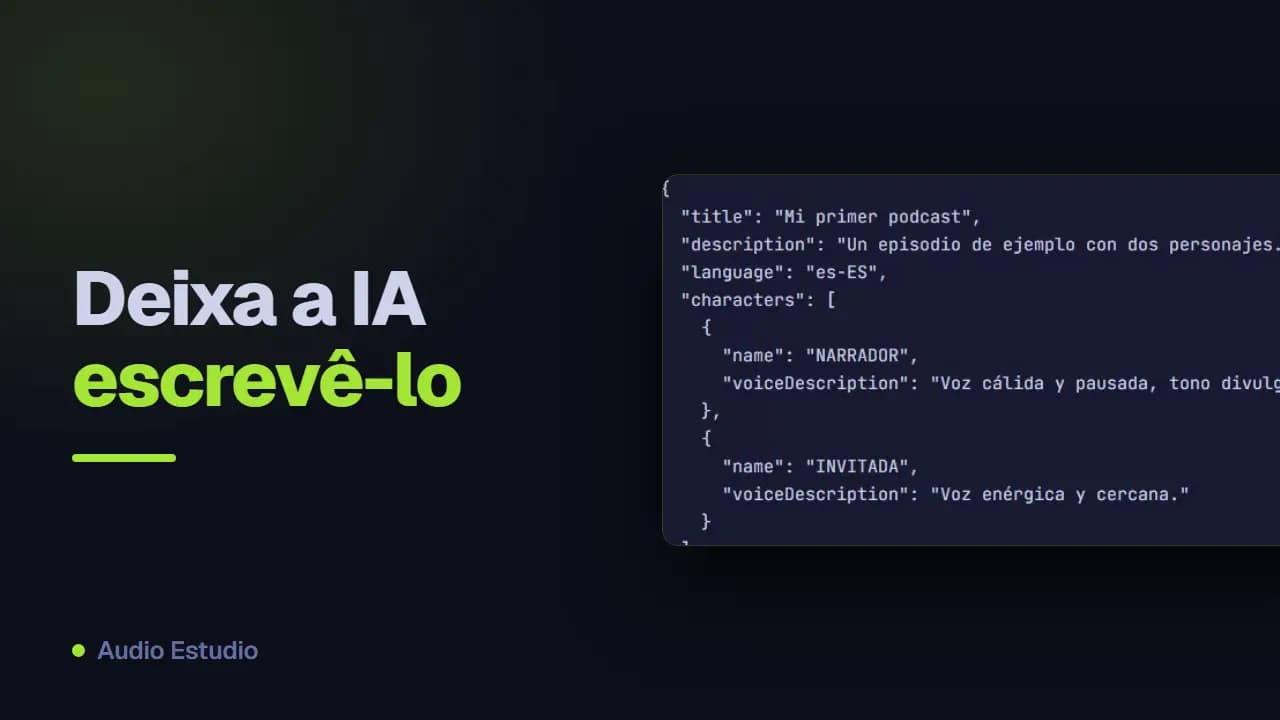
Este exemplo cumpre o formato e você pode enviá-lo assim mesmo no modal de importar.
{
  "title": "Mi primer podcast",
  "description": "Un episodio de ejemplo con dos personajes.",
  "language": "es-ES",
  "characters": [
    {
      "name": "NARRADOR",
      "voiceDescription": "Voz cálida y pausada, tono divulgativo."
    },
    {
      "name": "INVITADA",
      "voiceDescription": "Voz enérgica y cercana."
    }
  ],
  "clips": [
    {
      "character": "NARRADOR",
      "text": "Bienvenidos a un nuevo episodio del podcast."
    },
    {
      "character": "INVITADA",
      "text": "Gracias por la invitación, me hace mucha ilusión estar aquí."
    },
    {
      "character": "NARRADOR",
      "text": "Empecemos por el principio de la historia."
    }
  ]
}
Se você não quiser escrever o JSON manualmente, cole o roteiro do seu episódio em um assistente de IA (ChatGPT, Claude, Gemini…) usando este prompt: ele devolverá um JSON válido pronto para importar. Substitua «[PASTE THE PODCAST TEXT HERE]» pelo texto do seu podcast antes de enviá-lo.
You are a podcast-script-to-JSON converter. You will receive the text of a podcast episode in any format (named-speaker dialogue, stage-play script, transcript, narrated prose, etc.) and you must return ONLY a valid JSON object in the format described below. Write NOTHING before or after the JSON: no explanations, no comments, no code fences (```). Your reply must start with { and end with }.

========================
OUTPUT FORMAT (exact)
========================
{
  "title": "string",
  "description": "string",
  "language": "es-ES",
  "force": false,
  "characters": [
    { "name": "Name", "voiceDescription": "[tag] [tag] ..." }
  ],
  "clips": [
    { "character": "Name", "text": "clip text" }
  ]
}

========================
ROOT FIELDS
========================
- title (REQUIRED, min. 1 char): the episode title. If the source text has a title, use it; otherwise generate a short, descriptive one.
- description (optional): 1-2 sentences summarizing the episode.
- language (optional): language code. Set it to the ORIGINAL language of the source text you are converting — detect it from the content, do NOT translate. Use a BCP-47-style code: e.g. "es-ES" (Spanish), "en-US" (English), "fr-FR" (French), "de-DE" (German), "it-IT" (Italian), "pt-BR" (Portuguese). If you can detect the language but not the region, use the most common region for that language.
- force: ALWAYS leave it as false.
- characters (REQUIRED, min. 1 entry).
- clips (REQUIRED): each clip is ONE voice line. The ORDER of the array IS the position (1, 2, 3…). Do NOT add any position field.

There is NO "meta" object and NO "author" field. title, description, language and force live at the root.

========================
CHARACTERS
========================
- One entry per voice that speaks in the podcast, INCLUDING the narrating voice (call it "Narrador").
- name: unique within the project, with an initial capital (e.g. "Narrador", "Luna", "Ogro"). It must match CHARACTER FOR CHARACTER (same letters, same upper/lowercase) the "character" of its clips.
- voiceDescription: optional but recommended. ALWAYS in ENGLISH, with audio-tags in brackets (max. 4-5): age, energy, timbre, base emotion. Examples: "[warm] [slow] [storytelling]", "[energetic] [young] [curious]", "[raspy] [old] [wise]". Infer it from cues in the source text; if there are none, give a reasonable description or leave it as "".

========================
CLIPS — conversion rules
========================
1. Each spoken line (narration or dialogue) → one object { "character": ..., "text": ... }.
2. VOICE ONLY. NEVER put into clips: music, sound effects, pauses, ambiences, stage directions, or production notes. All of that is OMITTED from the JSON (it gets added later in the app). Discard lines such as: [MUSIC: …], [SOUND: …], [SFX], [PAUSE: N], (wind blows), [intro music], *laughter in background*, etc.
3. There are NO type, mood, duration, position or per-clip description fields. Each clip has EXACTLY two fields: "character" and "text".
4. text: the clean text of the line, WITHOUT the character name in front and WITHOUT sound directions.
5. Keep the EXACT order of the source script.

========================
EMOTION / TONE (inline, optional)
========================
Emotion is NOT a separate field: if a line has a clear emotion, place it at the START of "text", in brackets and in English. Use at most ONE tag per clip and only when it adds value; if the line is neutral, leave the text clean.
Use ONLY these tags (map the source emotion to the closest one; if none fits, use no tag). Keep the tag in English even when the line itself is in another language:
[whispers] [excited] [trembling] [serious] [giggles] [shouting] [tired] [curious] [amazed] [crying] [sighs] [gasp] [laughs] [mischievously] [panicked] [sarcastic]
Example: { "character": "Luna", "text": "[whispers] ¿Quién anda por aquí tan tarde?" }

========================
MERGE RULE
========================
If the SAME character speaks two or more lines IN A ROW with nothing in between (no other character, no music/sound/pause), merge them into ONE clip joining the texts with a space, and do NOT add an inline emotion tag.
If between two lines of the same character there was an effect, music, pause or another voice, KEEP them as separate clips (this leaves a natural point to insert that effect later in the app).

========================
FINAL VALIDATION (before replying)
========================
- Every "character" in clips exists in characters, with the same upper/lowercase.
- characters has ≥ 1 entry and clips has ≥ 1.
- No music, sounds or pauses inside clips.
- No clip has extra fields: only "character" and "text".
- "language" reflects the source text's original language.
- The JSON is syntactically valid and is the ONLY thing you return.

========================
PODCAST TO CONVERT
========================
[PASTE THE PODCAST TEXT HERE]