Vous pouvez créer un projet complet en envoyant un fichier JSON dans la fenêtre « Importer un projet ». Le fichier décrit le titre du projet, ses personnages et ses clips de dialogue. Voici la structure exacte attendue.
Champs du fichier
Champ
Type
Obligatoire
Description
title
texte
Oui
Titre du projet. Doit contenir au moins un caractère. Si vous avez déjà un projet avec le même titre, l'importation déclenchera le processus de mise à jour.
description
texte
Non
Description facultative du projet.
language
texte (BCP-47)
Non
Code de langue BCP-47 (par exemple, es-ES ou en-US). Si vous l'omettez, es-ES est utilisé par défaut.
characters[]
liste
Oui
Liste des personnages du projet. Doit en inclure au moins un.
characters[].name
texte
Oui
Nom du personnage. Doit contenir au moins un caractère et c'est la valeur que référencent les clips.
characters[].voiceDescription
texte
Non
Indication textuelle sur la sonorité souhaitée de la voix. Elle est purement indicative : elle n'assigne aucune voix.
clips[]
liste
Oui
Liste des clips de dialogue. Peut être vide : vous importerez les personnages et ajouterez les clips plus tard.
clips[].character
texte
Oui
Nom du personnage qui dit le clip. Doit correspondre exactement au name de l'un des personnages.
clips[].text
texte
Oui
Texte qui sera lu dans ce clip. Doit contenir au moins un caractère.
Points importants
Les voix ne figurent pas dans le JSON
Le fichier ne contient ni voix ni fournisseurs. Le champ voiceDescription est uniquement une indication textuelle. La voix réelle et le fournisseur (Gemini, ElevenLabs ou Local) sont assignés à chaque personnage dans la configuration du projet, après l'importation.
Importer sur un titre déjà existant
Si vous importez un fichier dont le titre correspond à celui d'un projet que vous avez déjà, le processus de mise à jour se déclenche. Si le projet de destination a déjà des clips avec de l'audio généré, l'application vous demandera confirmation avant de continuer.
Les noms de personnage doivent correspondre exactement
Chaque clip pointe vers son personnage par le nom et la comparaison est littérale : « Camille » et « camille » sont différents, et un espace de trop à la fin casse aussi la correspondance. Si un clip cite un nom qui n'est pas dans characters, rien n'est importé : l'opération est annulée dans son intégralité et l'avertissement indique lequel échoue, avec le texte en anglais « Clip references unknown character ». Vérifiez les majuscules, les accents et les espaces avant d'envoyer le fichier.
Le champ « force »
Laissez-le toujours à false dans votre JSON. Il sert à confirmer la mise à jour d'un projet qui a déjà des clips, mais l'application l'active automatiquement lorsque vous acceptez l'avertissement de mise à jour ; ce n'est pas un champ que vous devez régler sur true manuellement.
Exemple valide
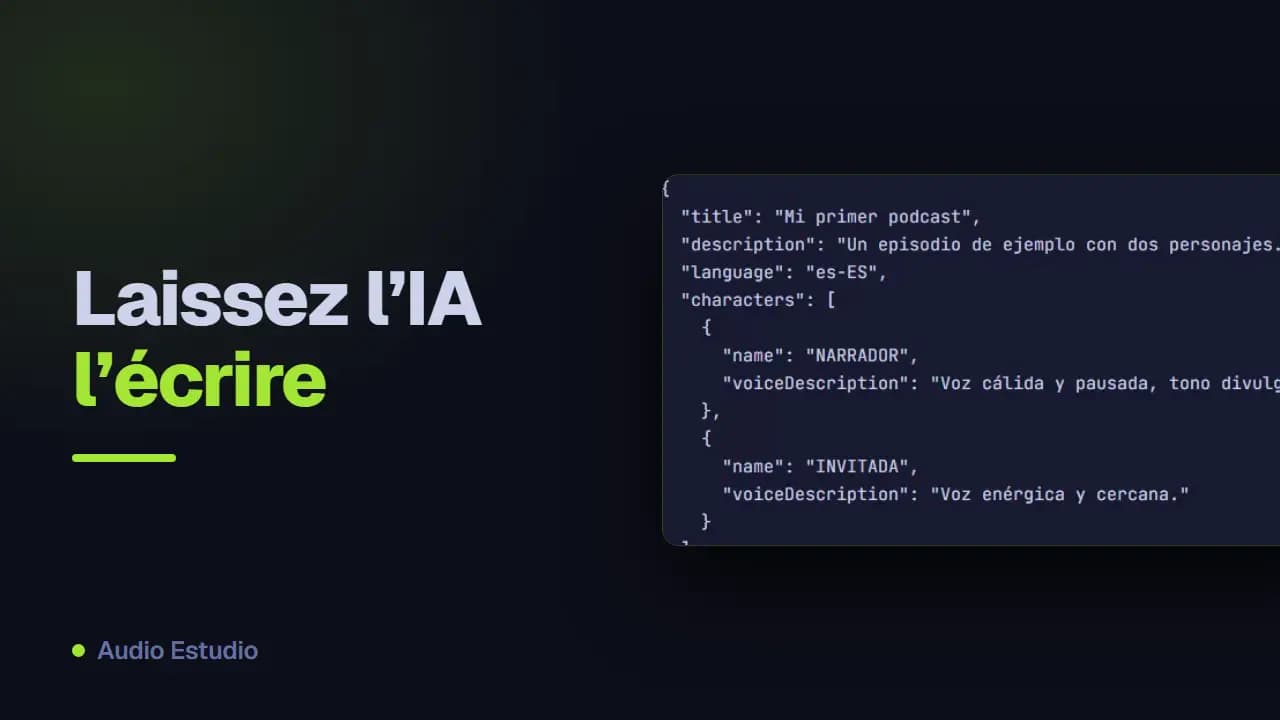
Cet exemple respecte le format et vous pouvez l'envoyer tel quel dans la fenêtre d'importation.
{
  "title": "Mi primer podcast",
  "description": "Un episodio de ejemplo con dos personajes.",
  "language": "es-ES",
  "characters": [
    {
      "name": "NARRADOR",
      "voiceDescription": "Voz cálida y pausada, tono divulgativo."
    },
    {
      "name": "INVITADA",
      "voiceDescription": "Voz enérgica y cercana."
    }
  ],
  "clips": [
    {
      "character": "NARRADOR",
      "text": "Bienvenidos a un nuevo episodio del podcast."
    },
    {
      "character": "INVITADA",
      "text": "Gracias por la invitación, me hace mucha ilusión estar aquí."
    },
    {
      "character": "NARRADOR",
      "text": "Empecemos por el principio de la historia."
    }
  ]
}
Générer le JSON avec un LLM
Si vous ne voulez pas écrire le JSON à la main, collez le script de votre épisode dans un assistant d'IA (ChatGPT, Claude, Gemini…) en utilisant ce prompt : il vous renverra un JSON valide prêt à importer. Remplacez « [PASTE THE PODCAST TEXT HERE] » par le texte de votre podcast avant de l'envoyer.
You are a podcast-script-to-JSON converter. You will receive the text of a podcast episode in any format (named-speaker dialogue, stage-play script, transcript, narrated prose, etc.) and you must return ONLY a valid JSON object in the format described below. Write NOTHING before or after the JSON: no explanations, no comments, no code fences (```). Your reply must start with { and end with }.

========================
OUTPUT FORMAT (exact)
========================
{
  "title": "string",
  "description": "string",
  "language": "es-ES",
  "force": false,
  "characters": [
    { "name": "Name", "voiceDescription": "[tag] [tag] ..." }
  ],
  "clips": [
    { "character": "Name", "text": "clip text" }
  ]
}

========================
ROOT FIELDS
========================
- title (REQUIRED, min. 1 char): the episode title. If the source text has a title, use it; otherwise generate a short, descriptive one.
- description (optional): 1-2 sentences summarizing the episode.
- language (optional): language code. Set it to the ORIGINAL language of the source text you are converting — detect it from the content, do NOT translate. Use a BCP-47-style code: e.g. "es-ES" (Spanish), "en-US" (English), "fr-FR" (French), "de-DE" (German), "it-IT" (Italian), "pt-BR" (Portuguese). If you can detect the language but not the region, use the most common region for that language.
- force: ALWAYS leave it as false.
- characters (REQUIRED, min. 1 entry).
- clips (REQUIRED): each clip is ONE voice line. The ORDER of the array IS the position (1, 2, 3…). Do NOT add any position field.

There is NO "meta" object and NO "author" field. title, description, language and force live at the root.

========================
CHARACTERS
========================
- One entry per voice that speaks in the podcast, INCLUDING the narrating voice (call it "Narrador").
- name: unique within the project, with an initial capital (e.g. "Narrador", "Luna", "Ogro"). It must match CHARACTER FOR CHARACTER (same letters, same upper/lowercase) the "character" of its clips.
- voiceDescription: optional but recommended. ALWAYS in ENGLISH, with audio-tags in brackets (max. 4-5): age, energy, timbre, base emotion. Examples: "[warm] [slow] [storytelling]", "[energetic] [young] [curious]", "[raspy] [old] [wise]". Infer it from cues in the source text; if there are none, give a reasonable description or leave it as "".

========================
CLIPS — conversion rules
========================
1. Each spoken line (narration or dialogue) → one object { "character": ..., "text": ... }.
2. VOICE ONLY. NEVER put into clips: music, sound effects, pauses, ambiences, stage directions, or production notes. All of that is OMITTED from the JSON (it gets added later in the app). Discard lines such as: [MUSIC: …], [SOUND: …], [SFX], [PAUSE: N], (wind blows), [intro music], *laughter in background*, etc.
3. There are NO type, mood, duration, position or per-clip description fields. Each clip has EXACTLY two fields: "character" and "text".
4. text: the clean text of the line, WITHOUT the character name in front and WITHOUT sound directions.
5. Keep the EXACT order of the source script.

========================
EMOTION / TONE (inline, optional)
========================
Emotion is NOT a separate field: if a line has a clear emotion, place it at the START of "text", in brackets and in English. Use at most ONE tag per clip and only when it adds value; if the line is neutral, leave the text clean.
Use ONLY these tags (map the source emotion to the closest one; if none fits, use no tag). Keep the tag in English even when the line itself is in another language:
[whispers] [excited] [trembling] [serious] [giggles] [shouting] [tired] [curious] [amazed] [crying] [sighs] [gasp] [laughs] [mischievously] [panicked] [sarcastic]
Example: { "character": "Luna", "text": "[whispers] ¿Quién anda por aquí tan tarde?" }

========================
MERGE RULE
========================
If the SAME character speaks two or more lines IN A ROW with nothing in between (no other character, no music/sound/pause), merge them into ONE clip joining the texts with a space, and do NOT add an inline emotion tag.
If between two lines of the same character there was an effect, music, pause or another voice, KEEP them as separate clips (this leaves a natural point to insert that effect later in the app).

========================
FINAL VALIDATION (before replying)
========================
- Every "character" in clips exists in characters, with the same upper/lowercase.
- characters has ≥ 1 entry and clips has ≥ 1.
- No music, sounds or pauses inside clips.
- No clip has extra fields: only "character" and "text".
- "language" reflects the source text's original language.
- The JSON is syntactically valid and is the ONLY thing you return.

========================
PODCAST TO CONVERT
========================
[PASTE THE PODCAST TEXT HERE]
Essayez-le avec votre propre script
Le plan gratuit génère de l'audio avec des voix IA, sans carte et sans rien installer.